
Getting Started
Special
SINGLE SIGN-ON
Teams
Users
Escalation Policies
Service
Incident
Request
On-Call Shift
Schedules
Schedule Override
Logs
API
Webhook
Apps Integration
Reports
Preference
Profile
Automation
Self-Service Portal
Mobile App
SLA
FAQ
Users Management
Lets know about features provided in user section in dashboard.
What are the features provided in the Users tab?
Only Global admin or Stakeholder can access the Users tab.
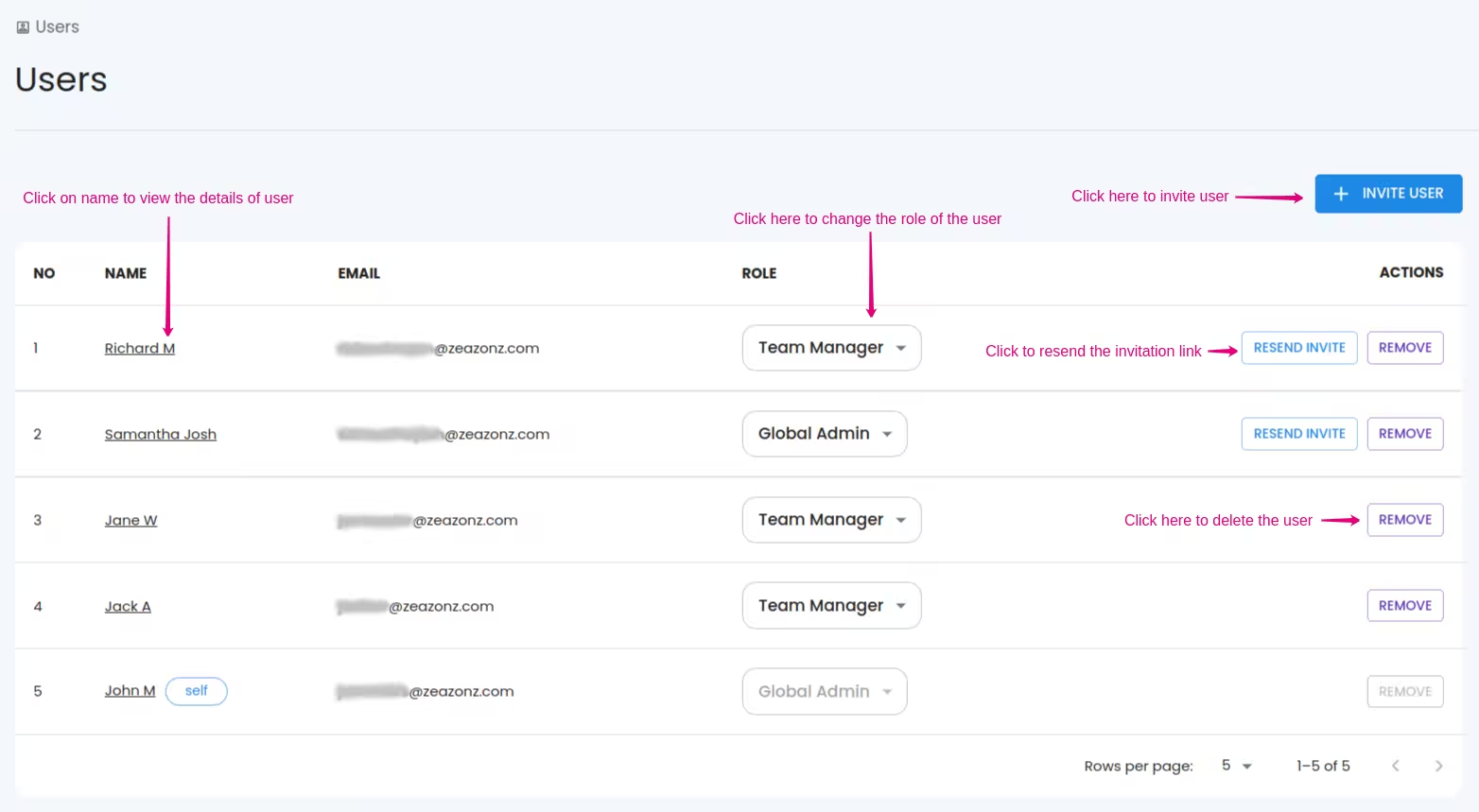
All the users in SQIBS are displayed under the users' tab as a table. You can view all the users here by their name, email, and global role.
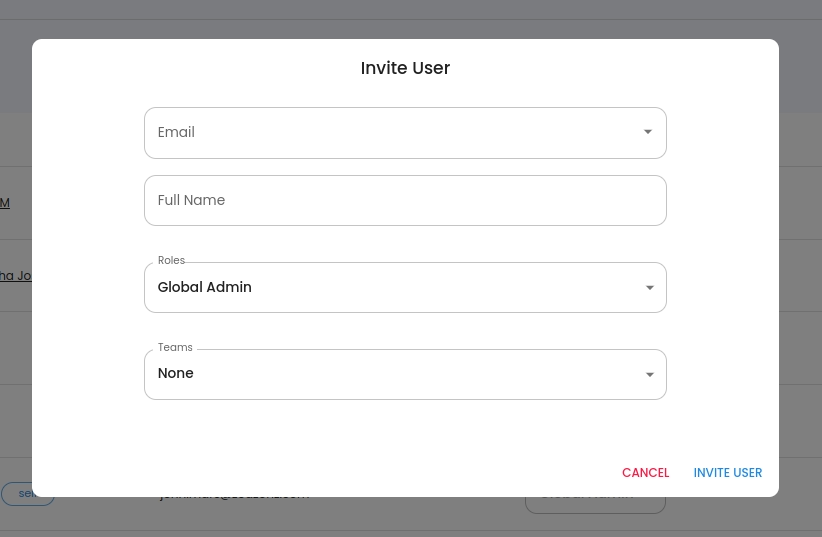
- Invite User: A user can be invited by the INVITE BUTTON button provided in the Users section. You need to provide a name, email, and role, team (optional). An invitation link will be sent via email to the entered email. Using the invitation link the user can register and log in to the SQIBS user dashboard.
- Resend Invite: If a user failed to join after some time/ if the user isn’t received the email, you can resend an invite via RESEND INVITE button
- Role Update: Update the user’s global role. You can’t update your role.
While updating the role to a lower one, then the Team Role related to the user may change (Only if the selected Global Role is lower than the Team Role in the Respected Team)
- Remove: A user can be removed from your workspace using the REMOVE button.
If the user is present under a team, then you must remove the user from all teams in order to remove the user from your workspace
- View user details: To view the user details you need to click the specified user name in the users' table. Up on clicking, you will be redirected to user info page. There you can view the user’s detailed information.
Note :
Only invitation accepted user can be a part of your workspace( To be in a Schedule, Escalation, Incident management, etc....).
Only invitation accepted user can be a part of your workspace( To be in a Schedule, Escalation, Incident management, etc....).
