
Getting Started
Special
SINGLE SIGN-ON
Teams
Users
Escalation Policies
Service
Incident
Request
On-Call Shift
Schedules
Schedule Override
Logs
API
Webhook
Apps Integration
Reports
Preference
Profile
Automation
Self-Service Portal
Mobile App
SLA
FAQ
SQIBS - Reseller
The RESELLER is the one who buys the Callgoose products. This is the highest admin role in all Callgoose products. Unlike SQIBS user, Reseller have special Dashboard and functionalities. Tap here to know more about how to create a Reseller account.
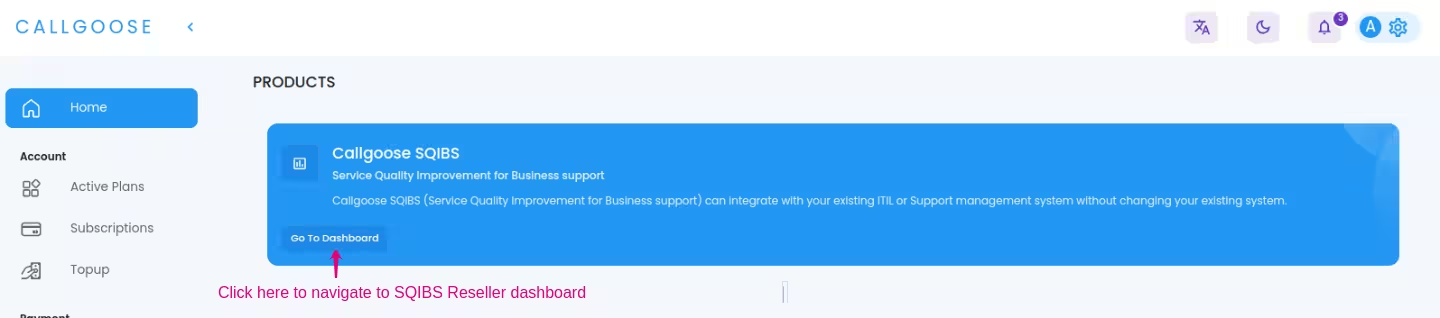
How to open SQIBS Dashboard ?
- Sign in to the main CALLGOOSE dashboard from here
- Open the SQIBS dashboard from the Home section of the main dashboard.
Functionalities of Reseller
From the SQIBS Reseller dashboard, a Reseller can efficiently manage Global Admins , who possess elevated privileges and Payment handlers, who is responsible for securely managing financial transactions.
Manage Global Admin
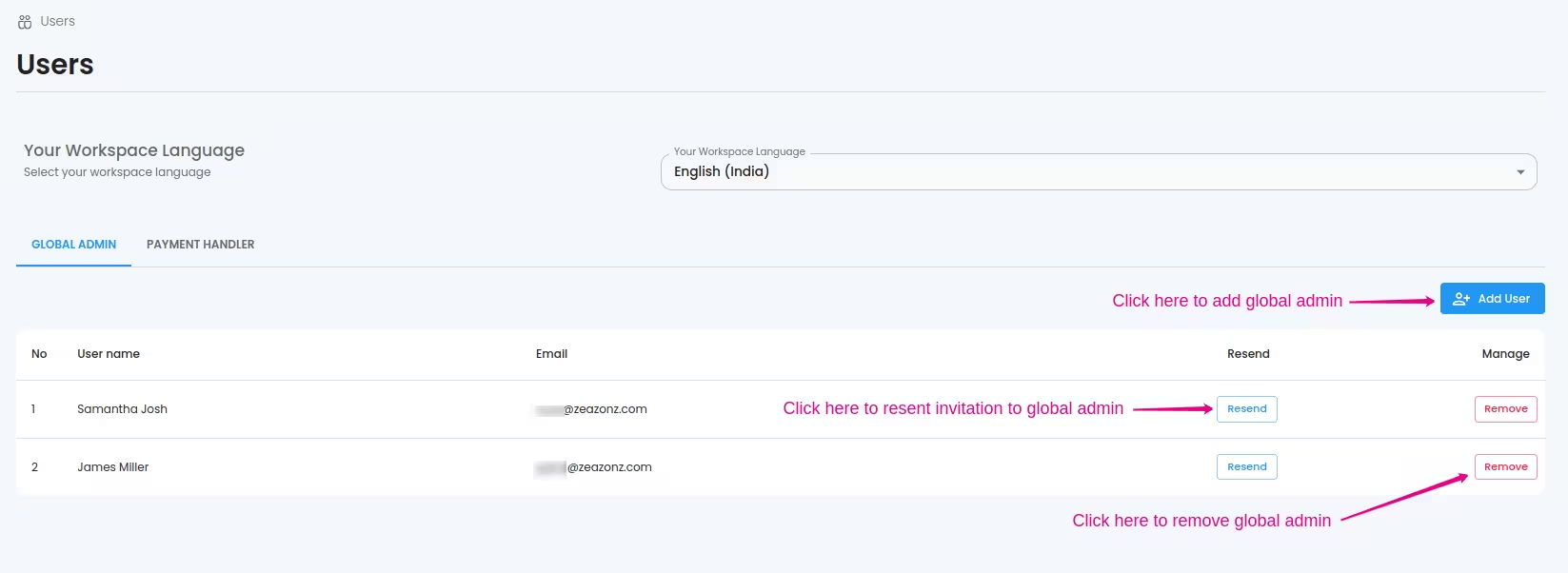
From the Users tab → GLOBAL ADMIN, you can see all the Global Admins under your workspace.
- Add Global Admins Add Global Admins by entering their email addresses and name. An invitation link will sent to the email, which further enables verification of the email and the user can complete their registration. If the invited user already have a SQIBS user account, they can accept the invitation from their profile.
- Remove Global Admins Remove the Global admin privilege of a user. Here, removing change the Global admin role from the user and making the user a Responder. To remove a user from your workspace, you need to use a Global Admin account. To know more, tap here.
Manage Payment Handlers
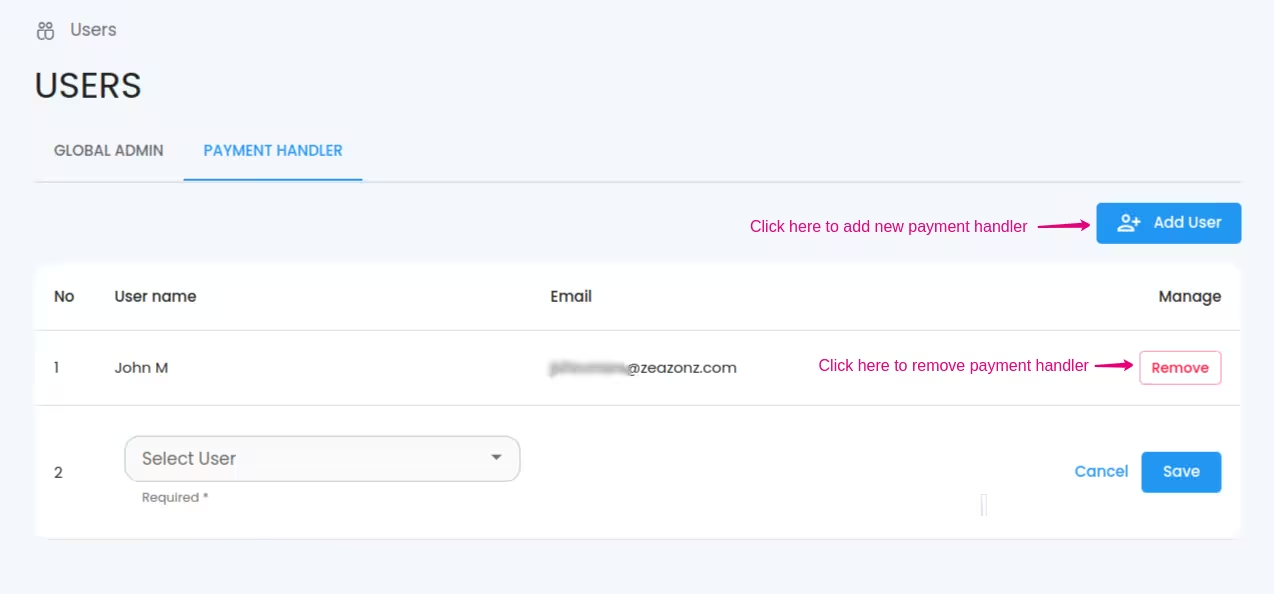
From the Users tab → PAYMENT HANDLER, you can see all the users having payment handling permission. To know more, tap here.
- Add Payment Handler Add Payment Handler by selecting a user. Only the eligible users will be listed here.
- Remove Payment Handler Remove Payment handling privilege of a user by clicking remove button.
Setting workspace language
Resellers have the ability to set the workspace language , which serves as the default language setting that is applied to all aspects of the web platform, including user interfaces, menus, buttons, labels, and other textual elements. Workspace language and Communication language considered synonymous in the context of web platforms.

