Getting Started
Special
SINGLE SIGN-ON
Teams
Users
Escalation Policies
Service
Incident
Request
On-Call Shift
Schedules
Schedule Override
Logs
API
Webhook
Apps Integration
Reports
Preference
Profile
Automation
Self-Service Portal
Mobile App
SLA
FAQ
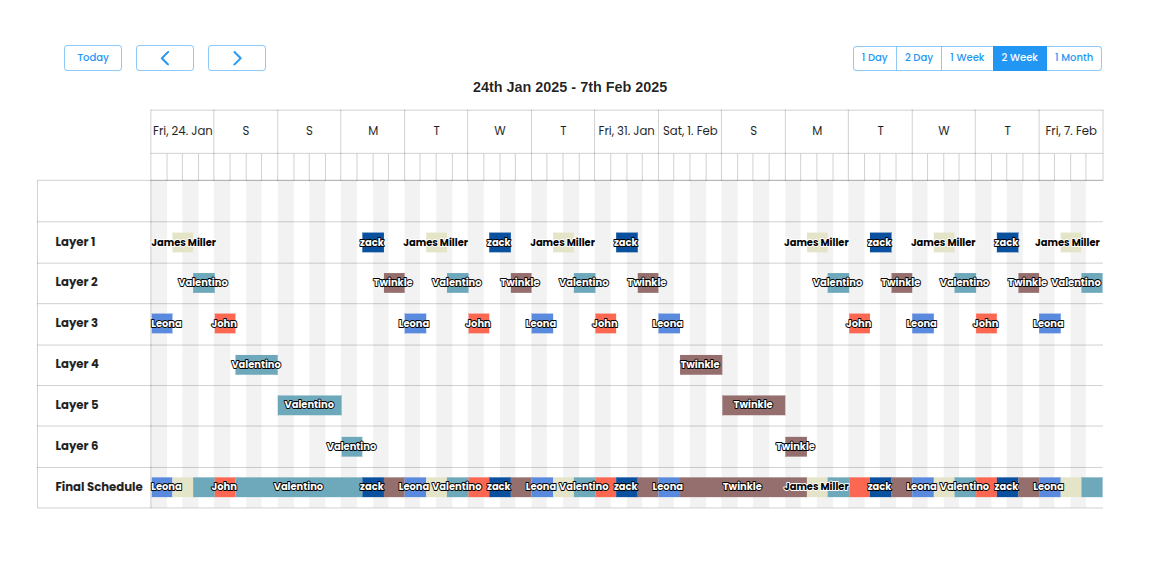
Example 3: Weekday + Rotating Weekend Duty
Schedule Requirements
Purpose: Split weekday shifts for efficiency and dedicate focused weekend coverage.
Schedule:
- Monday to Friday:
- 8am EST to 4pm EST: North America team is On-Call.
- 4pm EST to 12am EST: Europe and Middle East (EMEA) team is On-Call.
- 12am EST to 8am EST: Asia-Pacific (APAC) team is On-Call.
- Weekends (Saturday & Sunday):
- A single person is On-Call for the weekend: Saturday 8am EST to Monday 8am EST.
- Weekend On-Call rotates weekly among team members.
Schedule Configuration
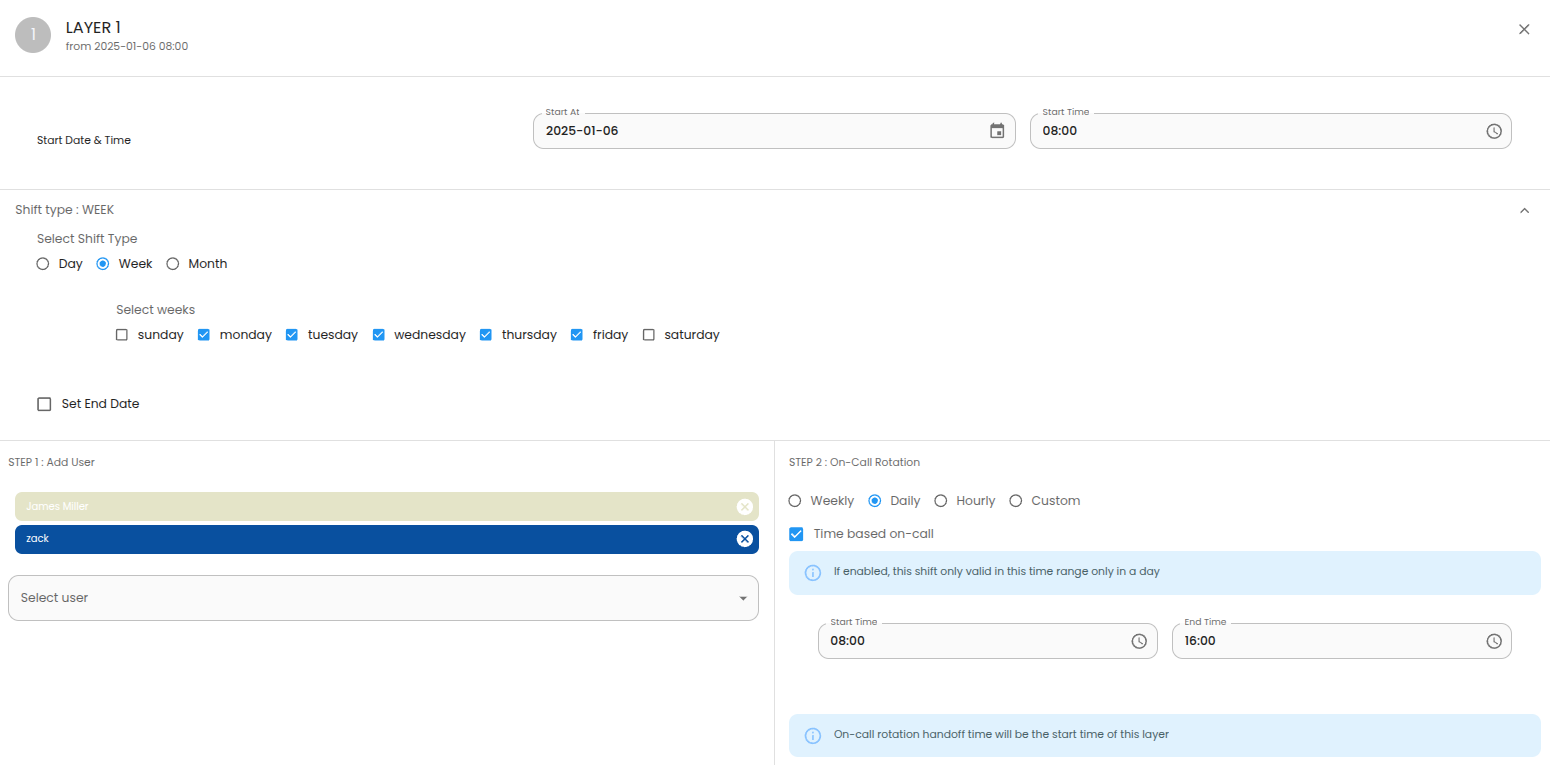
- Layer 1
- Choose the appropriate start date based on the day you want to begin this layer.
- Start Time: 08:00 EST
- Shift Type: Week
- Select weeks: Monday to Friday
- Add User: North America team members.
- On-Call Rotation: Daily
- Select Time based on-call option
- Start Time: 08:00 EST
- End Time: 16:00 EST
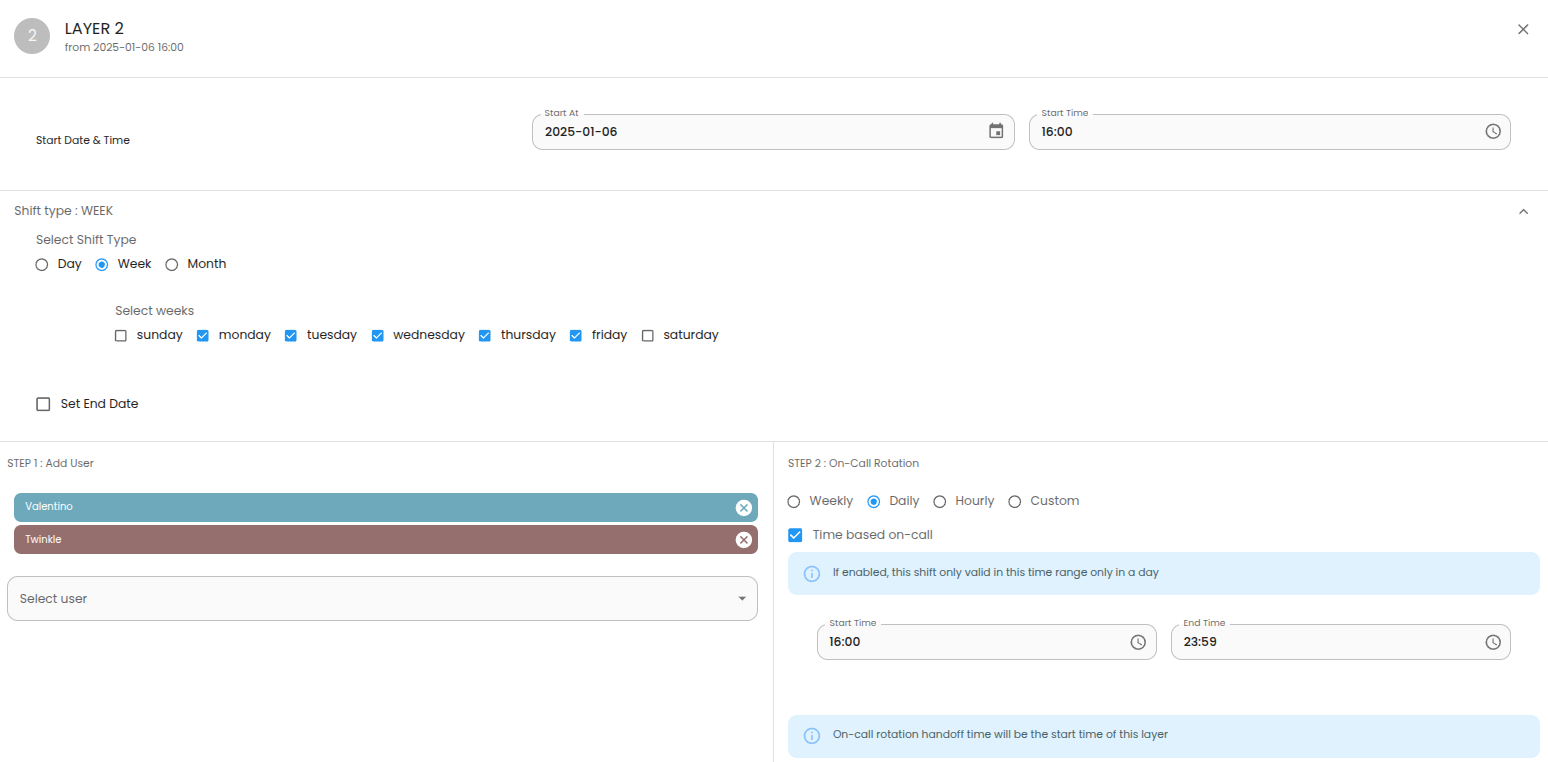
- Layer 2
- Choose the appropriate start date based on the day you want to begin this layer.
- Start Time: 16:00 EST
- Shift Type: Week
- Select weeks: Monday to Friday
- Add User: Europe and Middle East (EMEA) team members.
- On-Call Rotation: Daily
- Select Time based on-call option
- Start Time: 16:00 EST
- End Time: 23:59 EST
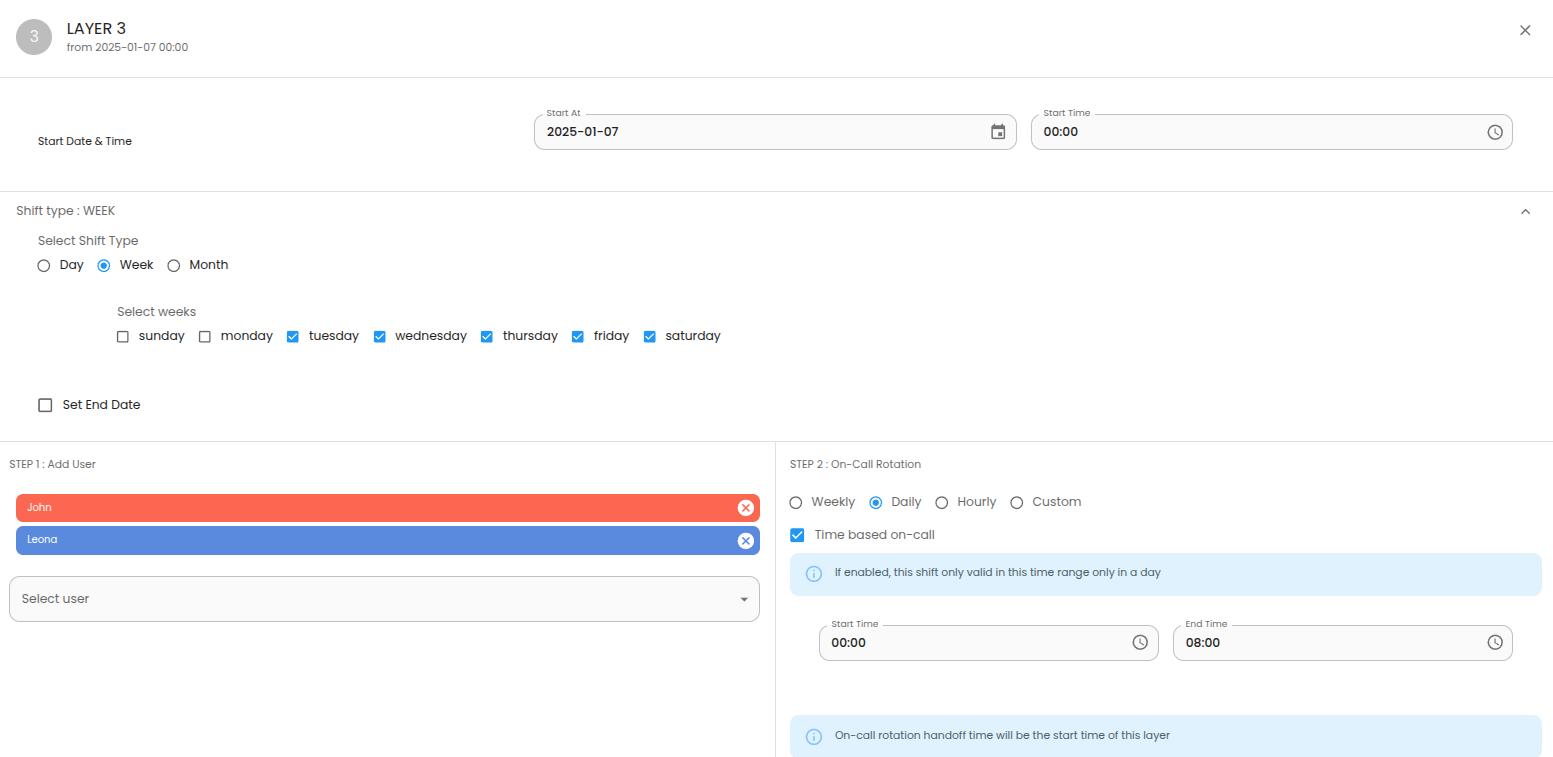
- Layer 3
- Choose the appropriate start date based on the day you want to begin this layer.
- Start Time: 00:00 EST
- Shift Type: Week
- Select weeks: Monday to Friday
- Add User: Asia-Pacific (APAC) team members.
- On-Call Rotation: Daily
- Select Time based on-call option
- Start Time: 00:00 EST
- End Time: 08:00 EST
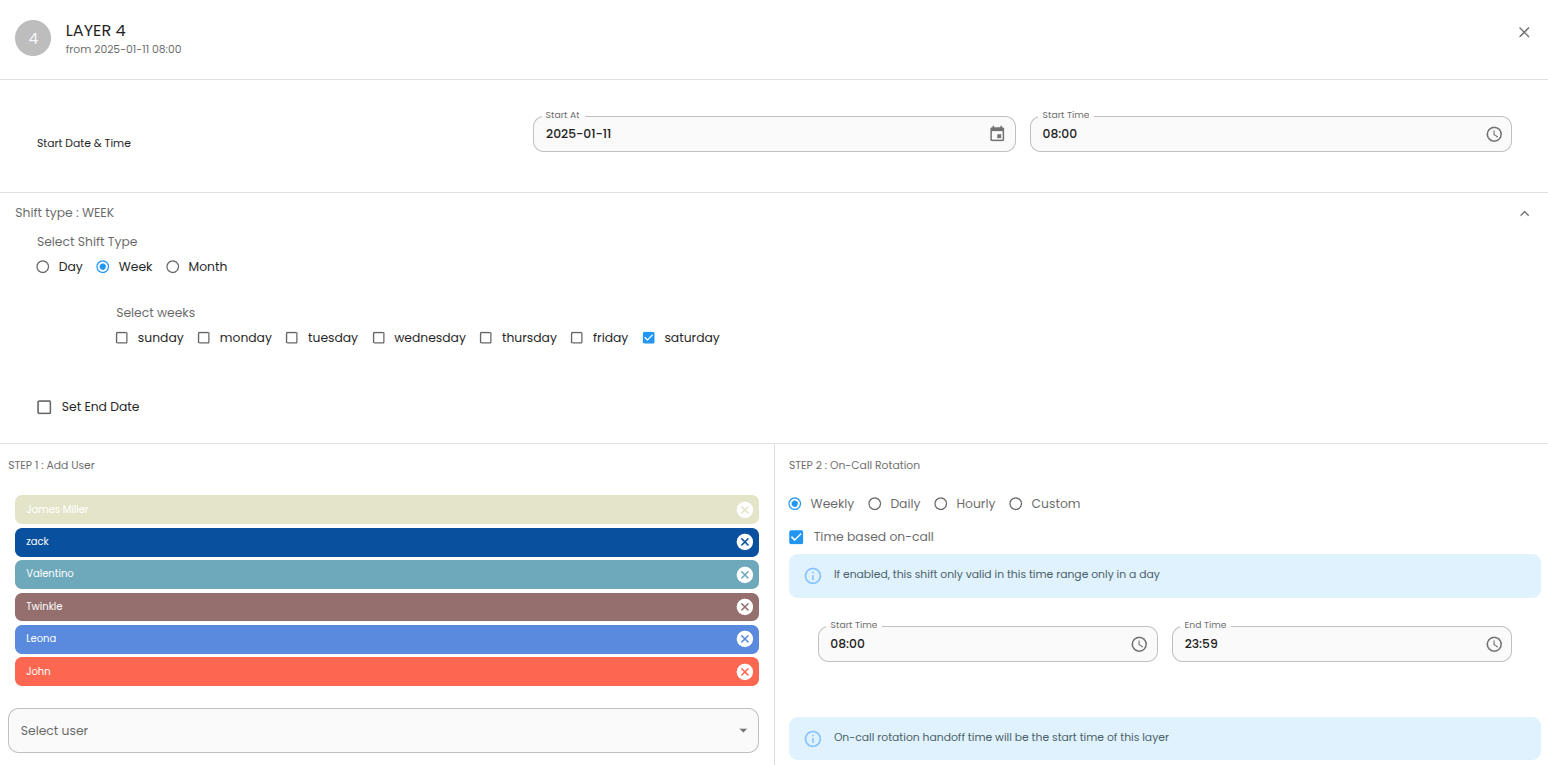
- Layer 4
- Choose the appropriate start date based on the day you want to begin this layer.
- Start Time: 08:00 EST
- Shift Type: Week
- Select Weeks: Saturday
- Add User: Add All team members.
- On-Call Rotation: Weekly
- Select Time based on-call option
- Start Time: 08:00 EST
- End Time: 23:59 EST
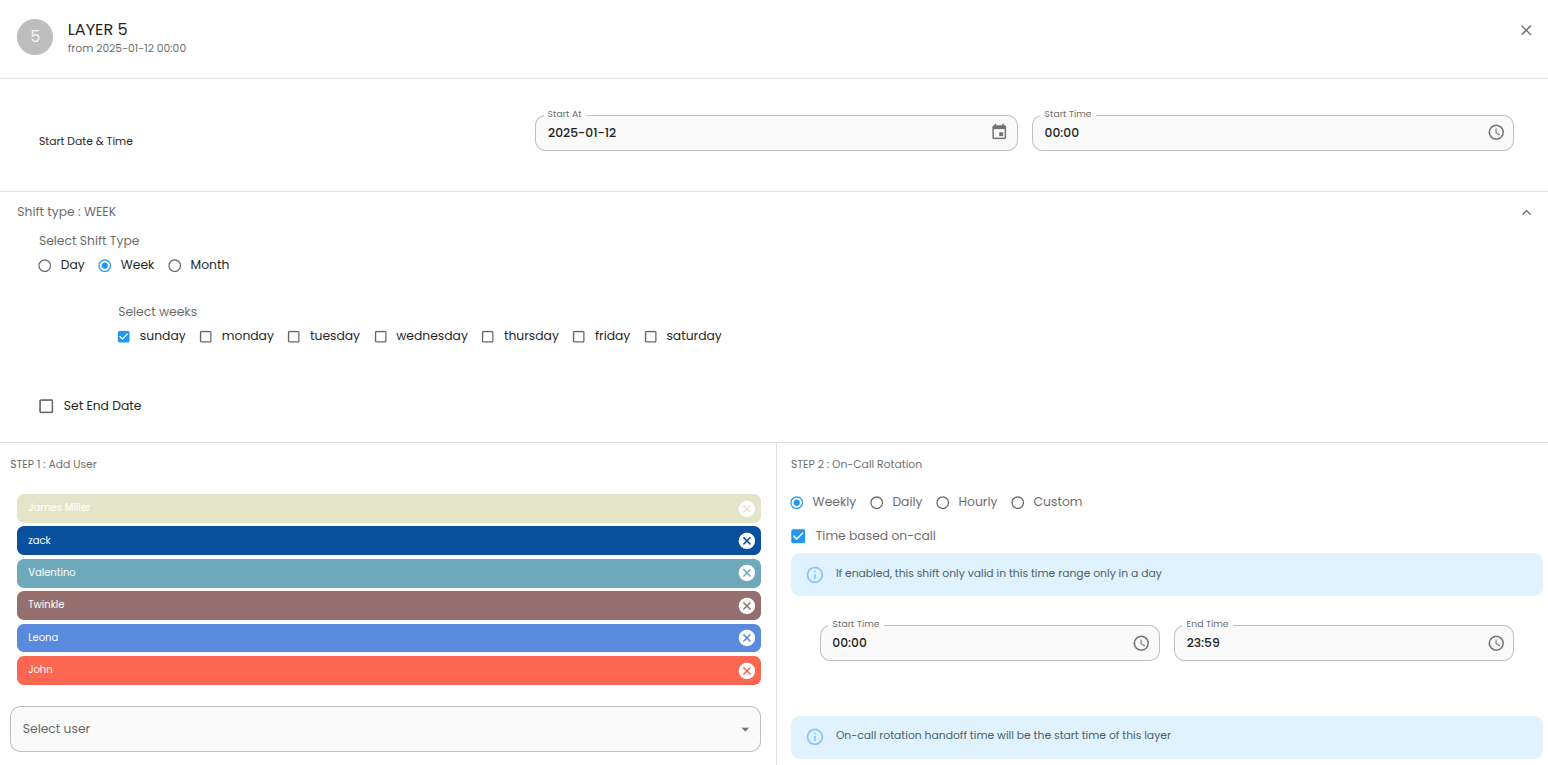
- Layer 5
- Choose the appropriate start date based on the day you want to begin this layer.
- Start Time: 00:00 EST
- Shift Type: Week
- Select Weeks: Sunday
- Add User: Add All team members.
- On-Call Rotation: Weekly
- Select Time based on-call option
- Start Time: 00:00 EST
- End Time: 23:59 EST
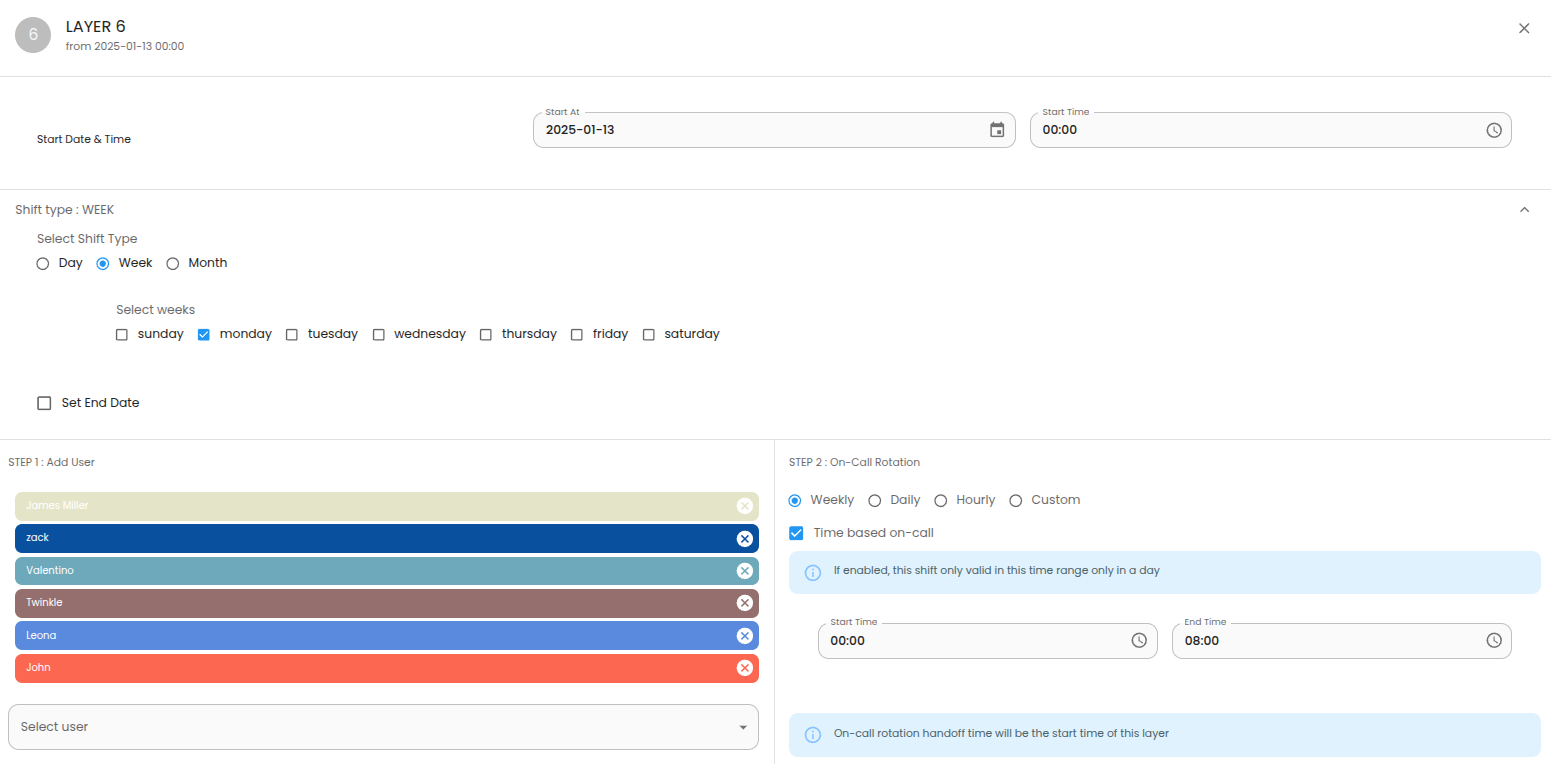
- Layer 6
- Choose the appropriate start date based on the day you want to begin this layer.
- Start Time: 00:00 EST
- Shift Type: Week
- Select Weeks: Monday
- Add User: Add All team members.
- On-Call Rotation: Weekly
- Select Time based on-call option
- Start Time: 00:00 EST
- End Time: 08:00 EST
Final Schedule