
Getting Started
Special
SINGLE SIGN-ON
Teams
Users
Escalation Policies
Service
Incident
Request
On-Call Shift
Schedules
Schedule Override
Logs
API
Webhook
Apps Integration
Reports
Preference
Profile
Automation
Self-Service Portal
Mobile App
SLA
FAQ
API Token
API tokens are used to authenticate and send API calls to specific endpoints in order to perform certain functions.(Eg: Create Incident based on the provided payload and configured API Filter). To use the API, you must provide a valid API token either as a Bearer Token in the authorization header or as a URL parameter named token
Types of API Tokens
3 types of API Tokens defines the different level of accessibility with API Filters.
1. Global API Token
Global tokens have a global scope. They can be used across all Teams and perform operations within any Team.
If you send an API request to create an Incident using this token, the request will be checked against every team's every service API filter. All matching services will be selected, and incidents will be created for each of them.
If you send an API request to create a Request using this token, the request will be processed for any Automation Workflow from any team or global.
*At the moment, Requests can only be handled using Global Tokens.
You can create/update/delete a Global API token by selecting the Global from Select Token type drop down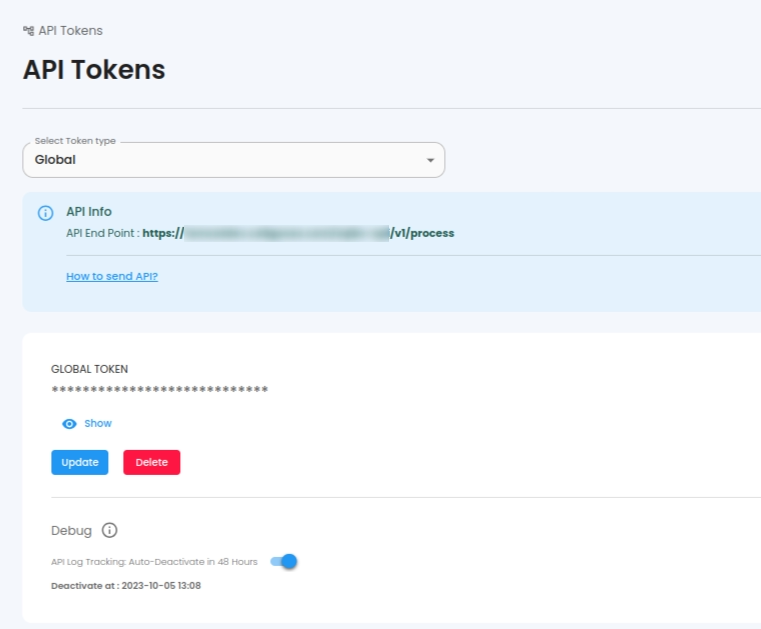
2. Team API Token
Team tokens are scoped to a specific Team. They can only be used within that Team to perform operations.
If you send an API request to create an Incident using this token, the request will be checked against the specific team's every service API filter. All matching services will be selected, and incidents will be created for each of them.
You can create/update/delete a Team API token by selecting the specific Team from the Select Token type drop down
3. Service API Token
Service tokens have a scope under a specific Service within a Team. They can only be used for operations within that Service.
If you send an API request to create an Incident using this token, the request will be checked against this specific service's API filter. If it matches, then incident will be created for this service.
You can create/update/delete a Service API token by selecting the Team related to the Service from the Select Token type drop down
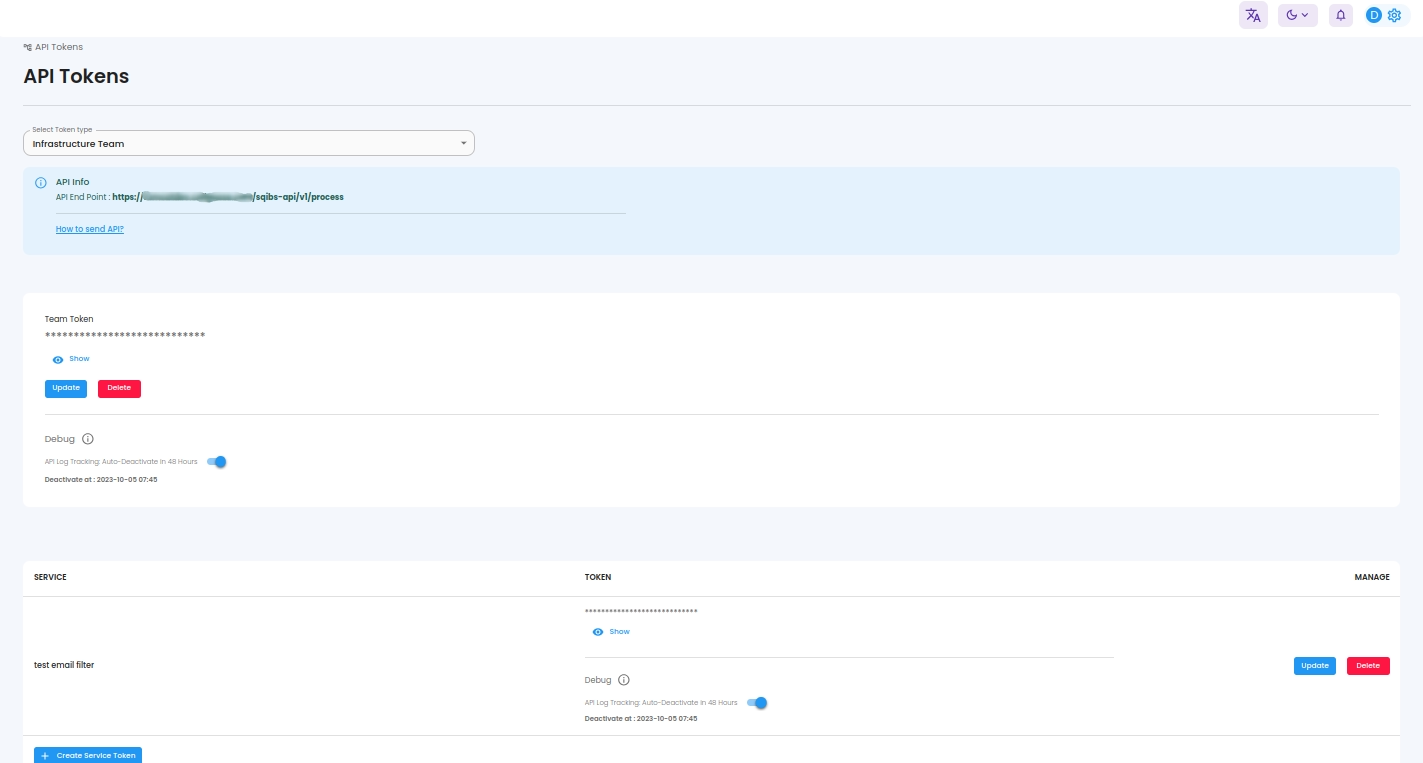
Debugging Option
You can also add or update the debug value when adding or updating API token.
When Debug(API tracking) is enabled, logs are stored in the API log section for your review. It will automatically disable after 48 hours. When Debug(API tracking) is turned off ,no logs are saved in the API log.
Deduplication Time
Duplicate alerts or events can be discarded using Deduplication Time. Any requests with the same content received within the specified time will be discarded. The default value is 10 minutes. This helps ensure that only valid requests are processed, even if an API caller sends too many requests with the same data.
