
Getting Started
Special
SINGLE SIGN-ON
Teams
Users
Escalation Policies
Service
Incident
Request
On-Call Shift
Schedules
Schedule Override
Logs
API
Webhook
Apps Integration
Reports
Preference
Profile
Automation
Self-Service Portal
Mobile App
SLA
FAQ
Remove Schedule Override
How to remove Override created in the schedule
You can remove Schedule override from:
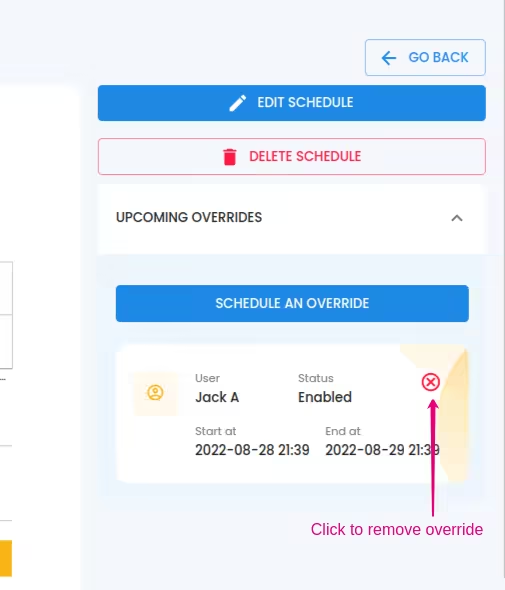
Schedule detailed view:
- Expand the UPCOMING OVERRIDES at the right side of the window.
- Click the mark at the top right of the item if present. If the mark is not present, that means you can't remove the item (No permission)
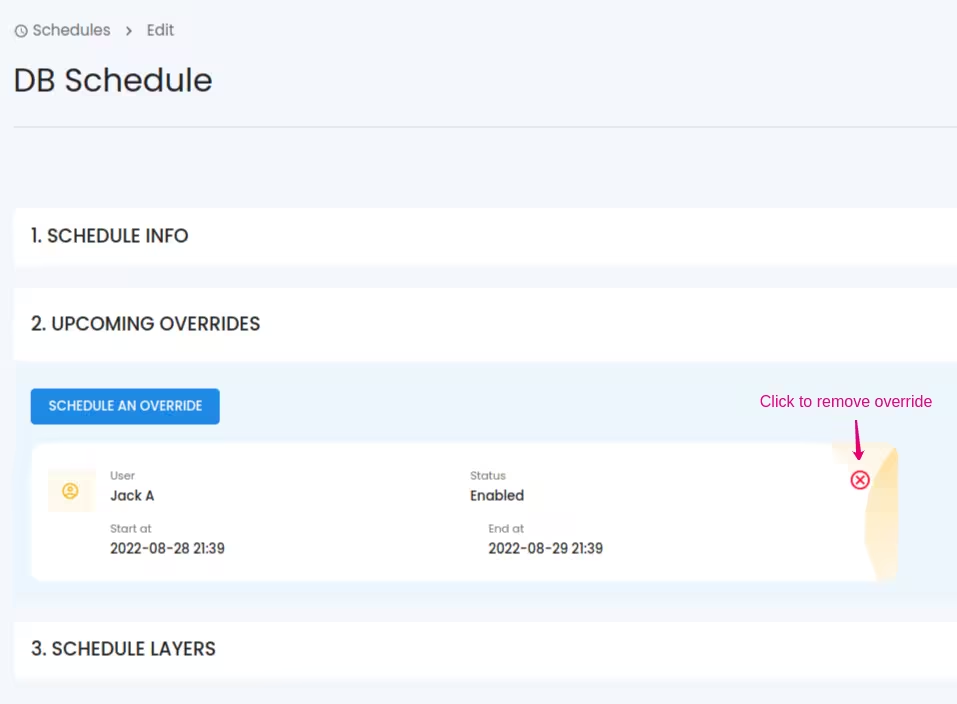
While editing Schedule:
- Expand the UPCOMING OVERRIDES listed.
- Click the mark at the top right of the item if present. If the mark is not present, that means you can't remove the item (No permission)
Schedule Override can be removed by the Global Admin/Team manager and the User who is overridden or the user who created the Override
